
Punjabi Keyboard Shortcuts
Typing in Punjabi becomes much easier when you know the right keyboard shortcuts. These shortcuts save time, reduce mistakes, and help you work faster. You can edit documents, copy text, and move through files without reaching for the mouse.
Whether you write school assignments, office reports, blog posts, or social media content, keyboard shortcuts improve your daily workflow. They also help you stay focused because your hands remain on the keyboard.
Most Punjabi keyboard shortcuts work the same way as standard Windows shortcuts. This makes them easy to learn and use in applications like Microsoft Word, Google Docs, and other text editors.
Why Punjabi Keyboard Shortcuts Matter
Keyboard shortcuts make every typing task faster. Instead of clicking menus, you can finish common actions with a few keys.
Faster Punjabi Typing
Every second matters when you type long documents. Shortcuts help you complete tasks quickly without breaking your typing rhythm. You can copy, paste, save, or search with simple key combinations. This improves your typing speed over time.
Better Productivity While Editing Documents
Editing often takes more time than typing. Keyboard shortcuts reduce repeated actions and speed up document editing. You can format text, undo mistakes, and find words instantly. These actions keep your work smooth and efficient.
Reduced Mouse Usage
Moving between the keyboard and mouse slows your work. Keyboard shortcuts keep your hands in one place. This habit saves time and reduces hand movement during long typing sessions.
Tip: Learning a few shortcuts each week helps you build speed naturally.
Most Useful Punjabi Keyboard Shortcuts
The following shortcuts work in most Windows applications, including Microsoft Word, Google Docs, and many text editors. They improve everyday Punjabi typing and document editing.
| Shortcut | Action | Why It Helps |
|---|---|---|
| Ctrl + C | Copy selected text | Copies Punjabi text without retyping. |
| Ctrl + V | Paste copied text | Inserts copied content instantly. |
| Ctrl + X | Cut selected text | Moves text quickly to another location. |
| Ctrl + Z | Undo last action | Fixes typing mistakes immediately. |
| Ctrl + Y | Redo last action | Restores an undone change. |
| Ctrl + A | Select all | Selects the entire document in one step. |
| Ctrl + S | Save document | Protects your work from data loss. |
| Ctrl + P | Print document | Opens the print window instantly. |
| Ctrl + F | Find text | Searches Punjabi words within seconds. |
| Ctrl + H | Find and Replace | Replaces repeated words quickly. |
| Ctrl + N | Create new document | Starts a fresh file immediately. |
| Ctrl + O | Open document | Opens an existing file quickly. |
| Ctrl + B | Bold text | Highlights important Punjabi text. |
| Ctrl + I | Italic text | Adds emphasis where needed. |
| Ctrl + U | Underline text | Draws attention to key information. |
| Alt + Tab | Switch applications | Moves between open programs quickly. |
| Alt + F4 | Close active window | Exits the current application safely. |
| Windows + Space | Switch input language | Changes the active keyboard language. |
| Home | Move to line start | Jumps to the beginning of a line. |
| End | Move to line end | Reaches the end of a line instantly. |
| Page Up | Scroll upward | Moves through long documents faster. |
| Page Down | Scroll downward | Travels quickly through pages. |
| Ctrl + Left Arrow | Move one word left | Speeds up text navigation. |
| Ctrl + Right Arrow | Move one word right | Jumps between words efficiently. |
Essential Editing Shortcuts
Editing becomes simple when you know the basic shortcuts. Use Ctrl + C to copy text before making changes. Press Ctrl + X when you want to move text instead of copying it. Then use Ctrl + V to paste the content into its new location. Everyone makes mistakes while typing. Press Ctrl + Z to undo the last action. If you change your mind, press Ctrl + Y to restore it. Use Ctrl + A when you need to select the whole document. This shortcut saves time during formatting or copying.
These shortcuts form the foundation of fast Punjabi typing.
Document Management Shortcuts
Good document management keeps your work organized. Press Ctrl + N to create a new document without opening menus. Use Ctrl + O to open an existing file. Save your work often with Ctrl + S. This habit protects your content from unexpected power failures or software crashes. When your document is ready, press Ctrl + P to open the print window. If you need specific information, use Ctrl + F to find words quickly. Use Ctrl + H to replace repeated words across the document.
These shortcuts reduce repetitive work and improve accuracy.
Text Formatting Shortcuts
Formatting helps readers understand important information. Use Ctrl + B to make headings or keywords bold. Press Ctrl + I to emphasize selected text with italics. Use Ctrl + U to underline important words or phrases. Avoid excessive formatting. Too much bold or underline makes documents harder to read. Keep formatting clean and consistent for better readability.
Navigation Shortcuts
Navigation shortcuts help you move through long Punjabi documents with ease. Press the Home key to jump to the beginning of the current line. Press the End key to move directly to the end. Use Page Up and Page Down to scroll through long documents much faster.
Need to edit a specific word? Press Ctrl + Left Arrow or Ctrl + Right Arrow to move one word at a time instead of one letter.
These shortcuts improve editing speed and reduce unnecessary scrolling.
Window and Application Shortcuts
Many people work with several applications at once. Press Alt + Tab to switch between open windows quickly. Use Alt + F4 to close the current application when you finish your work. If you use more than one language, press Windows + Space to switch the active input language.
These shortcuts create a smoother workflow and save valuable time throughout the day.
Did You Know?
Most Punjabi keyboard shortcuts are standard Windows keyboard shortcuts. They work because the operating system handles editing and navigation commands. This means you can use them across many applications without learning new key combinations each time.
Authoritative References
- Microsoft documents standard Windows and Office keyboard shortcuts in its official support documentation.
- The Unicode Standard ensures consistent Punjabi text encoding across modern operating systems and applications.
How Punjabi Keyboard Shortcuts Improve Productivity
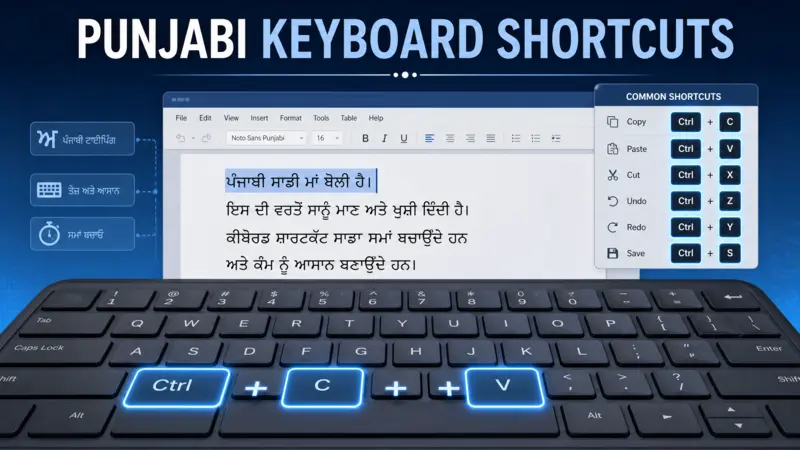
Learning keyboard shortcuts gives you an advantage every day. Small improvements add up over time. You finish tasks faster and make fewer mistakes.
Faster Document Editing
Editing often takes longer than writing. Keyboard shortcuts speed up every editing task.
Use Ctrl + A to select the entire document before formatting. Press Ctrl + F to find a specific Punjabi word instantly. Use Ctrl + H to replace repeated words across the document.
These shortcuts reduce manual work and improve accuracy.
Efficient Copy and Paste Workflow
Copying and pasting happens in almost every document.
Use Ctrl + C to copy text. Press Ctrl + X to move it. Then use Ctrl + V to paste it wherever you need. This workflow saves time when creating reports, assignments, articles, or office documents. Always review pasted text for formatting and spacing. A quick check keeps your document clean and professional.
Better Multitasking
Many users work with several programs at once.
You may type in Microsoft Word while checking information in a web browser. You might also switch between spreadsheets, PDFs, and email. Press Alt + Tab to move between open windows without touching the mouse. If you write in multiple languages, use Windows + Space to switch the active input language quickly.
These shortcuts create a smooth workflow and help you stay focused.
Best Practices for Using Punjabi Keyboard Shortcuts
Good habits help you remember shortcuts faster. They also improve your typing speed over time.
Learn the Most Frequently Used Shortcuts First
Start with the shortcuts you use every day.
Focus on:
- Ctrl + C
- Ctrl + V
- Ctrl + X
- Ctrl + Z
- Ctrl + S
- Ctrl + F
Master these before learning advanced combinations. A strong foundation makes new shortcuts easier to remember.
Practice Daily
Practice for a few minutes every day. Use shortcuts while writing emails, notes, reports, or assignments. Daily practice builds muscle memory. Soon, you will use shortcuts without thinking. Consistency matters more than long practice sessions.
Combine Shortcuts for Faster Work
Experienced users often combine several shortcuts.
For example:
- Press Ctrl + A to select all text.
- Press Ctrl + C to copy it.
- Open another document with Ctrl + O.
- Paste the content with Ctrl + V.
- Save your work using Ctrl + S.
This sequence takes only a few seconds. Small improvements like these increase productivity throughout the day.
Common Mistakes to Avoid
Many beginners make the same mistakes. Avoiding them helps you learn faster.
Trying to Learn Everything at Once
Do not memorize dozens of shortcuts in one day. Learn five or six shortcuts first. Add new ones after you feel comfortable. This approach improves long-term memory.
Forgetting to Save Your Work
Many users lose valuable work because they forget to save. Press Ctrl + S regularly. Saving often protects your files from software crashes and power failures.
Depending Too Much on the Mouse
The mouse works well, but frequent switching slows your workflow. Use keyboard shortcuts whenever possible. You will notice faster typing and smoother editing.
Ignoring Practice
Reading shortcut lists is not enough. Use them every day. Regular practice turns knowledge into habit.
Frequently Asked Questions
What are Punjabi keyboard shortcuts?
Punjabi keyboard shortcuts are key combinations that perform common tasks quickly. They help you copy, paste, edit, save, search, and navigate documents without using menus.
Do Punjabi keyboard shortcuts work in Microsoft Word?
Yes. Most standard keyboard shortcuts work in Microsoft Word, Google Docs, LibreOffice Writer, Notepad, and many other text editors.
Are Punjabi keyboard shortcuts different from Windows shortcuts?
No. Most Punjabi typing uses the same Windows editing shortcuts. They work regardless of the language you type.
Which Punjabi keyboard shortcuts should beginners learn first?
Start with these shortcuts:
- Ctrl + C
- Ctrl + V
- Ctrl + X
- Ctrl + Z
- Ctrl + S
- Ctrl + F
These shortcuts cover the most common editing tasks.
Can keyboard shortcuts improve typing speed?
Yes. Keyboard shortcuts reduce unnecessary mouse movement and repetitive actions. Regular practice improves speed, accuracy, and overall productivity.
Conclusion
Punjabi keyboard shortcuts make everyday typing easier and more efficient. They help you edit documents, manage files, navigate text, and switch between applications with less effort.
Start with the shortcuts you use most often. Practice them every day until they become natural. Over time, these simple habits will improve your typing speed, reduce errors, and increase productivity across Windows applications. Whether you are a student, teacher, office worker, freelancer, or content writer, keyboard shortcuts will help you complete tasks with greater confidence and efficiency.