Punjabi Typing Online
Punjabi Text Editor
Write, Count & Manage Your Punjabi Text
📖 How to Use This Tool
Punjabi Typing Online lets you write Punjabi instantly in your web browser. This Punjabi typing tool works without installation or downloads. It suits students, professionals, writers, and everyday users. Online Punjabi typing makes creating Unicode Punjabi text simple on almost any device through browser-based typing.
What Is Punjabi Typing Online?
Type Punjabi Directly in Your Browser
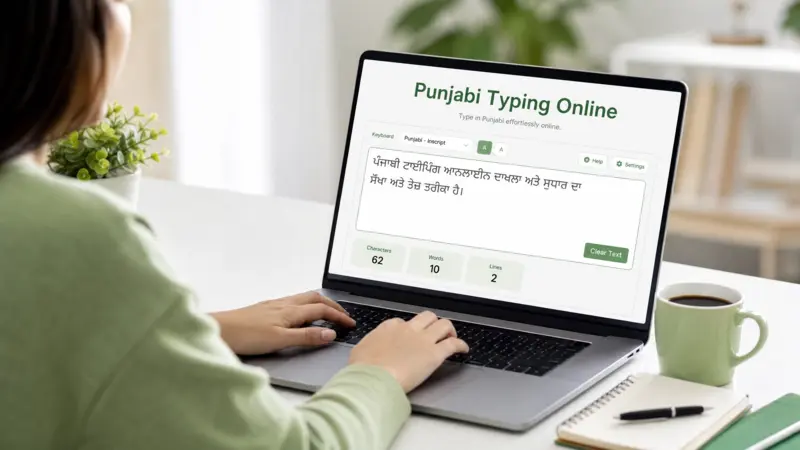
Punjabi Typing Online is a browser-based application that lets you write Punjabi without installing software. It works as an online text editor, so you can type, edit, and copy text in one place. You only need an internet connection and a web browser. The tool works across Windows, macOS, Linux, Android, and iOS, making Punjabi typing easy on both desktop and mobile devices.
Supports Modern Punjabi Text Standards
Most Punjabi typing tools generate text in Unicode, the global standard for digital text. Unicode uses UTF-8 character encoding to display Punjabi characters consistently across websites, documents, and apps. This ensures your Gurmukhi text remains readable when you share, copy, or save it. Unicode compatibility also reduces font issues and improves communication across different devices and platforms. According to the Unicode Standard, Unicode provides a consistent way to represent scripts, including Gurmukhi, for reliable digital communication. Using a browser-based application with Unicode support helps create Punjabi text that remains accurate, portable, and widely accepted.
How Punjabi Typing Online Works
Browser-Based Input Method
Punjabi Typing Online uses a browser-based input method to process your text as you type. The tool accepts input through a virtual keyboard or a standard keyboard. It uses keyboard mapping to match each key with the correct Punjabi character. Many tools also support real-time text conversion, so your words appear instantly inside the online editor. This process keeps typing smooth and accurate across different devices and browsers.
English to Punjabi Transliteration
Many Punjabi typing tools support English to Punjabi typing through transliteration. You type familiar English letters, also called Romanized Punjabi, while the tool converts them into Punjabi script. This method uses phonetic typing, which matches the sound of a word instead of each individual letter. A built-in transliteration engine performs auto conversion in real time as you type. The final output appears in Unicode Gurmukhi, making it ready for websites, documents, emails, and messaging apps. Many users choose this Punjabi input tool because they can write Punjabi naturally without memorizing a dedicated keyboard layout. Google’s input technologies and similar language input systems also use transliteration to simplify multilingual text entry, making this approach familiar and reliable for many users.
Benefits of Using Punjabi Typing Online
No Installation Required
Punjabi Typing Online runs directly in your web browser. You do not need to install software or manage updates. As a cloud application, it opens instantly with an internet connection. Browser typing saves storage space and lets you start writing without extra setup, making the experience simple and convenient.
Works Across Devices
You can use the same typing tool on Windows, macOS, Linux, Android, and iOS. Most modern web browsers support these platforms without additional software. This cross-platform compatibility lets you switch between desktop, laptop, tablet, and mobile devices while enjoying a consistent typing experience.
Unicode-Compatible Punjabi Text
Most online tools generate Unicode text, which follows the Unicode Standard for consistent character representation. Unicode compatibility keeps Punjabi text readable across websites, documents, emails, and messaging apps. It also reduces font compatibility issues and helps your content display correctly on different operating systems and devices.
Fast Editing and Text Management
A browser-based editor makes it easy to manage your work in one place. You can copy Punjabi text with one click and paste Punjabi text into documents, emails, websites, or social media posts. You can also edit Punjabi text before sharing it. Many tools let you save Punjabi text for later use or download it for future projects. Some also include sharing options, allowing you to share Punjabi text quickly with friends, colleagues, or clients. These features improve productivity and make everyday Punjabi writing more efficient.
Common Uses of Punjabi Typing Online
People use Punjabi Typing Online in many daily tasks. It helps anyone who wants to create clear Punjabi text quickly. Students, workers, and content creators use it for different needs.
You can write messages in Punjabi for friends and family. It makes Punjabi writing simple on social media platforms like Facebook, WhatsApp, and Instagram. Many users also prefer online Punjabi typing for emails because it saves time and improves clarity.
Office workers use it for official documents and reports. It supports Punjabi language typing in a professional format that works across systems. Students also use it for educational assignments and school projects.
Blog writers and website owners create content in Punjabi to reach local audiences. This improves digital presence and engagement. Punjabi typing tools also support digital communication in general, making it easier to share ideas in native language.
Overall, Punjabi Typing Online helps in everyday communication where clear and fast typing matters.
Save, Copy and Use Your Punjabi Text Anywhere
Punjabi Typing Online does not stop at typing. It also helps you use your Punjabi text anywhere. You can move your content across apps, devices, and platforms without losing format or meaning.
Copy and Paste Instantly
You can copy Punjabi text directly to your clipboard with one click. The tool keeps text in Unicode format, so it stays readable everywhere. You can then use simple copy & paste actions to move text into emails, websites, or documents. This process saves time and avoids formatting issues.
Save and Share Your Text
Most tools also let you download typed text for later use. You can save Punjabi content as plain text files for easy access. Some platforms also support DOCX and PDF formats for professional use. You can quickly share Punjabi text through messaging apps, email, or social platforms. This makes your content flexible and easy to distribute across different channels.
Why Use an Online Punjabi Typing Tool Instead of Installed Software?
Online Punjabi Typing tools work inside a web browser, so you do not need heavy software installations. This makes access faster and easier for everyone.
Installed software often needs updates and setup. A browser-based application updates automatically, so you always get the latest version without effort. This improves accessibility and reduces technical issues.
Compatibility is another key advantage. Online tools run smoothly on a desktop browser or mobile browser, so you can switch devices anytime. You do not depend on one system or operating system.
Convenience also matters. You can open the tool instantly and start typing Punjabi without delay. This saves time and avoids installation steps.
Device independence gives more freedom. You can use the same tool on any computer, tablet, or phone. It works across platforms and keeps your Punjabi typing consistent everywhere.
Frequently Asked Questions
What is Punjabi Typing Online?
It is a browser-based tool that lets you write Punjabi text instantly.
Does it support Unicode?
Yes, it uses Unicode so Punjabi text works across all platforms.
Can I type without installing software?
Yes, it works directly in a web browser without installation.
Can I copy and paste typed Punjabi text?
Yes, you can easily copy Punjabi text and use it anywhere.
Does it work on mobile devices?
Yes, it works smoothly on mobile phones, tablets, and desktops.
Conclusion
Punjabi Typing Online gives instant Punjabi typing in a browser-based tool. It stays Unicode compatible and works everywhere. You can easily copy and save text. This makes Punjabi Typing Online simple, fast, and useful for daily digital communication needs.